


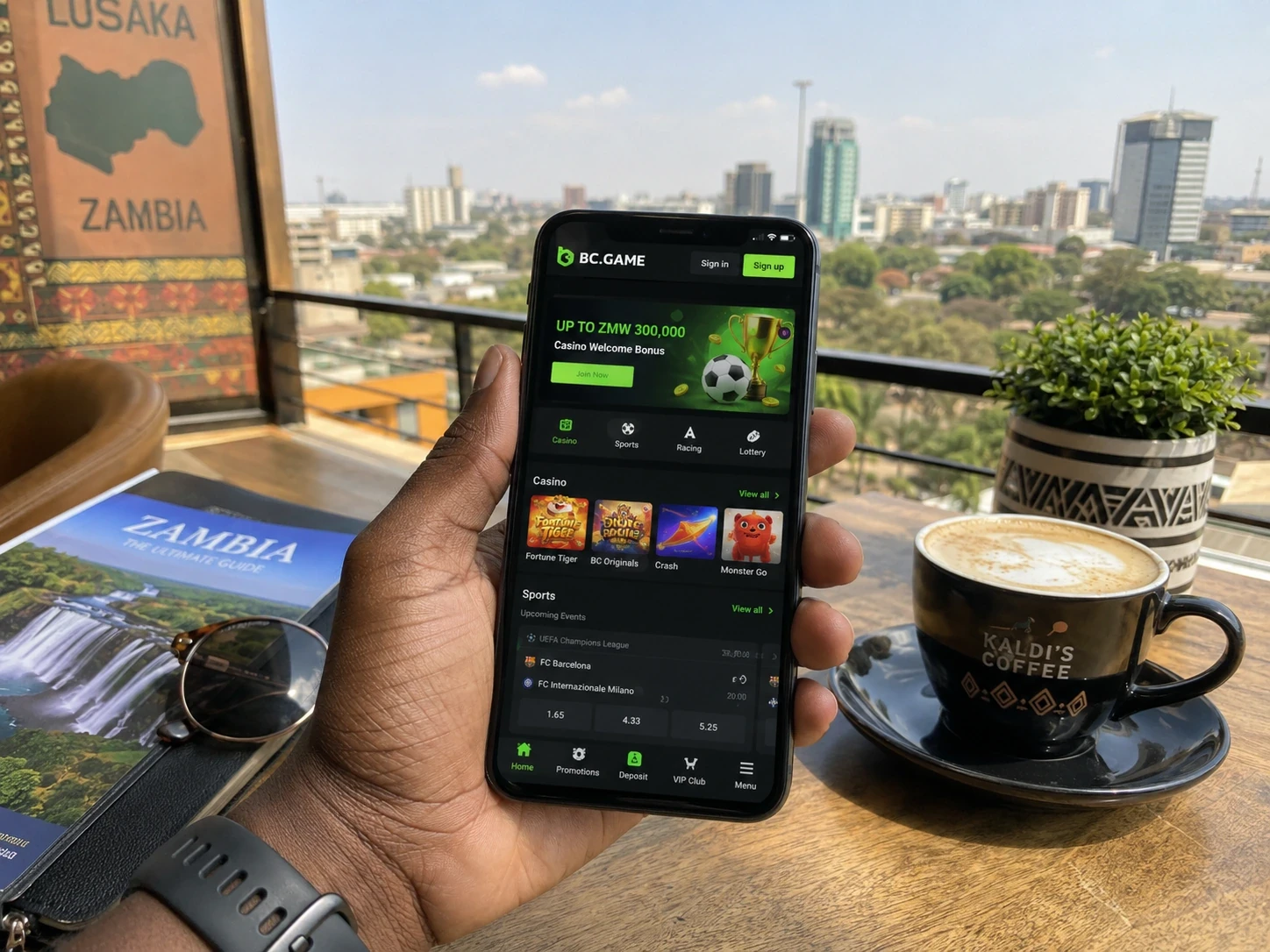
BC Game Zambia mobile access opens the same profile used on desktop. The screen changes size, but Wallet, My Bets, Favourites, Bonus and Security remain tied to the same account.
Android can begin in the browser
The responsive BC.GAME website can provide the main platform experience directly in Chrome without requiring an APK.
If the current site displays Install App or an Android download, use that BC.GAME route rather than a package obtained elsewhere.
Add to Home Screen is a shortcut, not a second account
Android users can add the current site to the Home Screen for faster access.
The icon does not hold balances or tickets itself, so removing it later does not remove account-side records.
iPhone and iPad use Safari Home Screen access
Open BC.GAME in Safari, tap Share and choose Add to Home Screen.
The shortcut leads back to the same profile, including Wallet, My Bets and active promotions.
Favourites is especially useful on a smaller screen
A saved list reduces the amount of scrolling needed to reach regular Casino titles.
Search remains useful when the player wants a title that was not saved.
Sportsbook mobile is useful even after the bet has already been placed
Once a ticket is accepted, the phone becomes a quick way to check My Bets without returning to the full event page.
That makes mobile useful for settlement checks even when no new bet is planned.
BC Game Wallet remains a full mobile tool
Deposit, Withdraw, Swap, Transaction and Rollover remain part of the account.
A user can therefore open BC Game Zambia on a phone simply to manage funds or promotions.
A new phone should use the existing identity
Email and phone users should return through the original identifier, while Google and Telegram users should use the same connected provider.
A familiar ticket, Transaction or Favourite can help confirm that the correct profile has opened.
Google Authenticator depends on device time
Authenticator codes refresh roughly every 30 seconds.
If several valid-looking codes fail, synchronising the phone date and time is a sensible first check.
Connection changes affect live products most visibly
Live Casino and live betting react quickly to temporary Wi-Fi or mobile-data interruptions.
After reconnecting, My Bets or Casino history should be checked before assuming an action was accepted or rejected.
Support cases do not become device-specific
A TxID, Ticket ID or Round ID keeps the same meaning whether the case is opened on mobile or desktop.
This makes it possible to start a conversation on a phone and continue later from a computer.
Browser-first keeps mobile access simple
Installation can be convenient, but the browser remains a complete fallback when the account needs to be opened quickly.
BC Game Zambia does not need a second mobile identity for the core products to work.
Responsible Gaming settings follow the profile
Account-level controls remain relevant across devices.
Changing phone or browser does not create a separate unrestricted version of the same account.
| Mobile route | Use |
| Chrome Android | Responsive access without APK |
| Official Android install | Use only when displayed by BC.GAME |
| Android Home Screen | Shortcut to the same profile |
| Safari iPhone/iPad | Full browser access |
| Add to Home Screen iOS | Icon leading to the same account |
BC Game Zambia mobile can be used before a desktop session starts
A player can check Wallet, confirm a settled ticket or see which promotions are active before sitting down at a larger screen.
That turns the phone into a preparation tool as well as a way to continue play.
The same saved games make device changes feel familiar
Favourites provides an immediate sign that the correct profile has opened on a new phone or browser.
It also means the player can skip the discovery stage when the intention is simply to return to a regular title.
Mobile Wallet checks do not require Casino to be open
A Deposit status, Transaction record or Withdraw review can be handled independently.
BC Game mobile therefore remains useful on days when the player has no plan to spin or place a bet.
Live interruptions should be checked against the account record
If connectivity drops at the wrong moment, guessing whether an action completed can create more confusion.
My Bets and Casino history show what the platform actually recorded after the connection returns.
BC Game Zambia mobile keeps the same priorities as desktop
Casino is still about games, Sportsbook about tickets and Wallet about funds.
The smaller interface does not need to change the purpose of the products.
A mobile session can end with information rather than a new wager
Checking a settled ticket or a confirmed transfer can be the complete reason to open BC Game.
That makes mobile useful even when the user has no intention of playing at that moment.
Home Screen access can be recreated whenever needed
If a shortcut is removed or becomes outdated, the user can create another one from the current site.
The important data remains on the account rather than inside the icon.
BC Game mobile keeps the same account memory
Saved games, tickets and Wallet records remain recognisable after login.
That continuity makes a new device feel like a new screen rather than a new platform.
A phone can be the quickest place to confirm a result
My Bets, Transaction and Rollover are all useful status pages.
BC Game Zambia mobile gives those checks a practical role outside full gaming sessions.
BC Game Zambia mobile remains useful between full sessions
A quick check of a settled ticket, a Wallet movement or an active reward can take only moments. The phone therefore supports the account even when the player plans to return to Casino or Sportsbook later on a larger screen.
App FAQ
Do I need a separate BC Game mobile account?
No. Mobile uses the same BC Game Zambia profile, Wallet, tickets, bonuses and Security settings.
Can Android use BC Game without an APK?
Yes. The responsive BC.GAME website can be opened directly in Chrome.
How do I add BC Game on iPhone?
Open BC.GAME in Safari, choose Share and then Add to Home Screen.
Does changing phones reset Rollover?
No. Rollover and promotion state remain attached to the account.